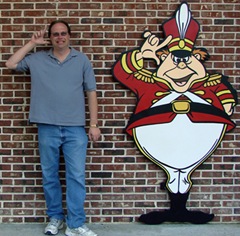
Hello my name is Jeff and I currently live in Westland, (metro Detroit area) Michigan, USA. I am 40 years old and I have been married for 14 years (no kids). I am a co-creator of the Photoshop Education site and have written all of the tutorials and recorded all of the videos (yes if you are going to blame someone, blame me, lol). My full-time job is I work for an international automotive supplier and some of my duties at my job include writing training material and do training in large groups for all North American plants.
My first glimpse of Photoshop was in 1993 when my best man in my wedding was using Photoshop 2.5 (he was a Graphic Analyst for a printing press company). He showed me a few tricks when Photoshop 3.0 was released in 1994. Due to the fact that there were very few courses on Photoshop and the Internet was still in its infancy, I ended up losing interest in the software. When Photoshop 7.0 was released in 2002, I found information online and truly began learning this software. Over the years I have learned the Photoshop program from many different websites (I could never find 1 site that supported only beginner tutorials) and read multiple books. The real problem with books is that they are all not created equally. One of the books I purchased was “Teach Yourself Photoshop in a Weekend”. When the book arrived at my door step (I mailed ordered it), I found that it was a book showing you what Photoshop could do for you. There were very little instructions, which only frustrated me.
Back in April 2009 a friend of mine kept asking me questions about Adobe Photoshop. I had no problem answering the questions, but I recommended that he find a site that only supported beginner Photoshop tutorials. When my friend contacted me back with “I could not find any great sites for Photoshop beginners only”, the wheels began turning on how I could fill this void and help other users. We knew from the start that we wanted to give step by step examples to all the beginner/intermediate Photoshop users. We also knew that written documentation had to be solid and to make sure that there were enough screenshots and that the written document could be downloaded and reviewed offline. We also knew to train the users easier; we needed to allow them to watch streamed videos online and to be able to downloaded and watch it offline.
We have came a long ways since August 2009 and I can promise you that the reason why I spend so much time creating new tutorials or working on new features for the site is to help you the user, because I truly want to give back to the community. Plus it is also nice to see thank you emails stating that we helped.
If I am not writing tutorials or working at my full time job, I have volunteered my time at the local library to teach Photoshop courses. We hope you enjoy the site and please take a moment and “Contact Us” if you have any questions or just want to say thanks. Take care and have fun Photoshopping!

We have listened to the users and we will soon be adding a new section called: “Photoshop Challenge”. This section will be dedicated to using your Photoshop skills you have learned from previous tutorials. We will be supplying you with all the supporting files (images, actions, fonts, etc.) and your goal is to duplicate the image that will be shown on the page.
**Please note, we will NOT be promoting these challenges through tutorial submission sites or other areas. We will only be sending out new Photoshop Challenges to users that are signed up to receive the RSS updates. We have noticed that the Photoshop Education RSS subscriber and returning user count is increasing very quickly and wanted to give these users something special so they can be one of the first to solve these challenges. As an RSS subscriber, you will not only find out about the new tutorials, but also when new Pop Quizzes or Photoshop Challenges are posted. If you have not already clicked on the RSS button (located towards the top left hand side of each page), please do so now or Left click on the following link: Subscribe To RSS Feed.
At first the challenges will be easy and may even look very basic, but the challenges will be based off of previous tutorials. What we are trying to accomplish with this new section is to begin using what you have learned in previous tutorials and create everyday life challenges. By doing these challenges, you will need to push yourself to remember knowledge you have learned not only from one tutorial, but from many different tutorials. Don’t worry; we will give you help on solving different areas of the challenge. If you are completely stumped on the challenge, you can always scroll to the bottom of the post and watch or download the Photoshop challenge answer video.
Also Coming Soon: Just to give you a heads up, expect another Pop Quiz to be released shortly. To get caught up on the pop quizzes, please use the following link: Pop Quiz.
As we answer questions from our “Contact Us” page, we will be expanding the Frequently Asked Questions.
What is?:
| | RSS is similar to a newsletter. As we change the website (add new Photoshop Challenges, Pop Quizzes, or Tutorials) you will receive notification through a reader. We would recommend that you pick an RSS Reader first before you try to subscribe to an RSS feed. There are many RSS readers, but they are broken down into 2 different categories. 1). Online Readers, 2). Offline Readers. The only 2 readers that we can recommend (you should do your research on free RSS readers) is for an online reader: Bloglines and for offline reader: Feed Demon. Usually from the time we post on our website, the RSS will be sent out within the hour. **Once you have picked an RSS reader, come back to our site and Left click the Subscribe RSS Feed button located on every page on the left hand side, right underneath the menu. |
- What is a Photoshop Challenge?
| | We post an image that we created and your job is to recreate the image. All of the tools we used to create the image are covered in previous tutorials. If you have followed along with each tutorial, you will find the challenge very easy to complete. We give you all the important key facts of the challenge such as font names or even image sizes, etc. If you are having trouble recreating the image, we have a Hints section that will point you in the right direction to get your answers. If you are still stumped, we always create a quick answer video. |
| | As your aware there are always a 10 question quiz at the bottom of each written tutorial (PDF or Post). A Pop Quiz is tougher questions based off of usually 10 different tutorials. Each quiz will range from 20-30 questions and will allow you to see how much knowledge you remember. |
- What is the “Bookmark” button do on the left hand side?
| | The “Bookmark” button located on the left hand side of every page and this option allows you to bookmark our site as a favorite. |
- What is the difference between the “All Tutorials” button and the tutorials that are displayed on the screen?
| | Think of “All Tutorials” as a table of contents for the tutorials. We show you what course number it is and the tutorial title and a summary of what you will accomplish if you complete this tutorial. It allows you to go directly to the tutorial by Left clicking on the name of the tutorial or the image. There are many ways to locate a tutorial on our site and this is just one easy way to determine if the course is right for you. |
Tutorial Creation/Promoting:
- How long does it take to create one of the tutorials on Photoshop Education?
| | This ranges from 8-14 hours per tutorial. This may sound like a lot of time, but there many steps to get it from nothing to an actual post. An actual post is usually 20 pages long. We have to first determine what should be the next course (we want to build on your knowledge and not jump to far ahead). Once we have the subject, we write the initial draft with the screenshots, plus the quiz is created. It then goes through a proofing process. Then we format the blog post, create the PDF and record the video. 90% of the videos are recorded only once and nothing is scripted (that is why you will see us making errors while recording the video). The only time we hit the delete key and re-record is if there is technical problems or there is a distracting noise in the recording (one time the microphone picked up someone slamming on their brakes). Once we edit the video, we begin uploading the video to support our video streaming. In this time frame, we also upload the edited video, PDF, or any other files (images, actions) so the user can download and review it offline. Once everything is set, the post is sent out to update our website. This time does not include promotion of the tutorial. |
- I do not see any major advertisement on the site, how do you make money from the site?
| | This site was created to give back to the community. Yes, that is the truth! We realized that there a lot of excellent advanced Photoshop sites on the web, but there were only few beginner sites and none of them that we know of that give you Photoshop Challenges, Quizzes, PDF downloads, Streaming Video, Downloadable Video Files, Pop Quizzes or even Additional Support Files to complete the tutorial. Yes you will not see any advertisement on our web page. In the future we may add advertising, but we would only be adding this to support the cost of a new domain and other areas. We are not in it to make money. We are only doing this to help other people! |
- How much time do you spend on promoting the site, because I love the site and would love to see it grow in popularity?
| | This is the area that we truly lack. We do not spend a lot of time promoting the site (roughly 10-15 minutes a week), by submitting the tutorials only to a handful of tutorial submission sites. We would rather spend our time creating new tutorials or Photoshop challenges or even Pop Quizzes. We truly feel, word of mouth will help us grow quick enough. To us we would rather see 300 users returning to our site which means they enjoy the content versus 800 users that never return. We feel the word of mouth is the best approach and we are seeing results because our returning user count grows everyday. If you have an easy way to promote our site, feel free to contact us! For now, PLEASE help us by spreading the word about our free Photoshop Beginner/Intermediate site. |
- I currently own another website, can I promote it on your site?
| | If you are looking to trade links, please use the “Contact Us” button located in the menu. If you are NOT looking to trade links and want promote a tutorial from our site on your site, feel free to use any of our tutorials (written or videos), but we require you to post our link with the video or written content. We are always looking for sites that will even further expand the knowledge of Photoshop to our users. We understand that once a user gets through all of our tutorials (we have only created about 10% of our total tutorials) and wants to learn advanced features, we will need to send them to another site. With that said, the site should pertain to Photoshop and should support quality tutorials on the Advanced subjects. We will monitor your site for a few weeks and send you an accepted or declined email. |
- I have a recommendation for a tutorial, how can I submit my idea to your site?
| | Please use the “Contact Us” button located in the menu. We will review all tutorial recommendations. If we feel that it is a good recommendation for a new tutorial, we will create it and add it to our site. |
- I have a feature you should add to your site, how can I submit features?
| | Please use the “Contact Us” button located in the menu. We always love hearing suggestions. If there is a feature that will help a user learn Photoshop easier, we are all ears. By the way, we have already implemented a few user features such as the Pop Quizzes came through a recommendation. Users wanted us to change how we identified a certain area of a screenshot. In the early tutorials, we just used a text overlay of (A) or a (B), etc. We changed this to have an “A” in a yellow circle so it would stand out better in the image. |
- Why don’t you have all the features of a certain subject in a tutorial? I noticed the last tutorial you missed certain tools that are related to the subject.
| | There is a fine line on showing you everything about a subject, versus showing you the basics. On certain subjects such as Masking, we have broken it into 2 different courses and even after the 2 tutorials there are a lot more features that we did not discuss. The reason we do not show all of the features is because we do NOT want to overload the user with to much information at once. Sometimes we forget about a certain way of using a tool. Just like most people, we get into a habit of doing a certain task a certain way. If you feel we should of covered something in a tutorial, feel free to use the “Contact Us” button located in the menu. |
- How often do you create new tutorials?
| | Due to the fact it takes us a fairly long time to publish a new tutorial, we average about 1 every 3-5 days. Sometimes it takes longer because we are working on new Pop Quizzes or Photoshop Challenges. |
Help:
| | The best way you can help us is by coming back to the site often and enhancing your skills within the Photoshop program. We also ask that if you like the site, please tell all of your friends. As we stated before, we get 80% of our promotion from word of mouth. It is up to you to help us keep the site going forward. |
- I am confused about a specific beginner area in Photoshop, how can I get help from your site?
| | Have you re-read the tutorial about the subject? Have you watched the streaming video? If yes, then feel free to use the “Contact Us” button located in the menu and we will be happy to respond to your question. In the future, we are looking at using a Forum so you the user can ask your questions, but for now, please use the “Contact Us” button. |
- I am looking for all of your tutorials in 1 digital book, were can I download that from?
| | At this time, you can only download individual digital books in a PDF format. In the future, we will rewrite each course and combine all of the tutorials into one digital book. |
Coming Soon:
- I see your changing the layout, style of your tutorials, what other features will be added in the future?
| | We are constantly looking at reports to determine if the users are using different features of the site. If the feature is NOT working, then that section is removed. We do not want to clutter the website up with useless items. We ask the question “What can we add to help the user learn Photoshop quicker and easier?”. One of the areas we are currently investigating is to have a Forum where users can ask questions, interact, display created Photoshop challenges, etc. We are also looking at what can a Facebook account offer us, due to the fact we already have a Twitter page and you can bookmark the website with our button, plus you can subscribe to the RSS feed. |
Welcome to the Photoshop Education blog. Our goal is to provide many different types of tools to help you learn this very complex program quickly and easily. If your recently new to Adobe Photoshop, then you are going to love this site because it offers easy to read and to be able to watch video tutorials. This site is dedicated to taking a new user (never opened the program before) and taking them past an intermediate level. With our site, you will find many Photoshop tips and tricks to make your experience with Adobe Photoshop more enjoyable (we understand that this program can be frustrating). Test your knowledge with a 10 question quiz at the end of every written tutorial. If you have arrived at our blog to find very advanced Photoshop techniques, then we would recommend you to view the websites that are listed in our "Special Links" section.With our years of training experience, we have learned that each person gains knowledge in many different ways. Some people prefer to watch a video, while others comprehend it better when they see it in writing, while others prefer to do a more hands on approach. This is the reason why most of the tutorials on the Photoshop Education site are in written form (you can also download the tutorial and read it offline) and are available through a video tutorial. Another benefit of our site is that you can download the matching files (pictures, fonts, brushes, actions, etc.), so you can follow along with either the written or video tutorials. You can even download the video files and play them offline! It is very frustrating when you do NOT get the matching files and are at the end of the tutorial and the results do not match. With having the files, video/written tutorials you will be able to follow along with us and if you do make an error, you will be able to identify it quickly and correct the problem.Our tutorials are very detailed and you will find no shortage of actual screen shots to walk you through the lesson. To get up to date information about new tutorials or updates about this blog, feel free to subscribe to the RSS feed.All content on this site is free. When searching for tutorials, you will find many websites with tutorials but very few that are completely free (some sites charge for these features) that offer, detailed tutorials (video and written tutorials), and allow you to download the matching material used for that specific lesson. All we ask from you is to take your time, have fun with learning the software and if you are happy with the tutorials listed on this blog, feel free to pass it along to your friends or just ad a comment.. We have built this site because we want to give back to the Photoshop community. All tutorials (written or videos), were created by the Photoshop Education trainers.
If you have any questions, feel free to contact us by clicking on the “Contact Us!” link located towards the top of the page.
Let’s Get Going and Learn Adobe Photoshop!


